Manage staff and invitations
Invite internal users, change their role, and revoke access when someone leaves.
Users and access is the operator directory: who can enter the admin ERP, with which role, and which invitations are still pending.
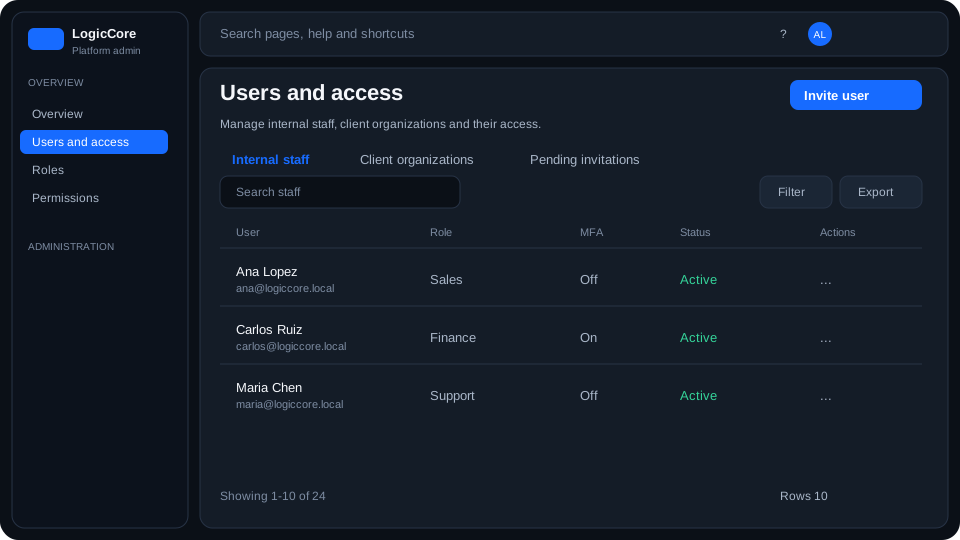
What each column means
Name / email
The signed-in identity. Name comes from My profile; email is the unique login and cannot be edited here.
Role
A slug from the Roles catalog (for example platform_admin, sales, finance). Effective access is that role plus any GRANT/DENY overrides on the membership.
Invitations tab
Pending invites show email, intended role and expiry. Accepting the link creates the user; expired rows can be resent or revoked.
How to invite and manage staff
- Open Users and access. Use Search to filter the table; on a phone use Sort by.
- Invite user — enter email and pick a role slug, then send.
- Edit a row to change role or add a permission override.
- Revoke access when someone leaves. You cannot revoke the last platform_admin.